What the Arena tab is for
The Arena is where the character you build by training gets tested. It is the fifth tab in StatBlockRPG. StatBlockPro keeps that slot for your profile and has no Arena at all, so everything on this page belongs to the game dashboard.
In the appArenaStatBlockRPG
The header shows your Rating in the top corner. Under it, a status strip carries your avatar, your Record, your Tickets (highlighted when you have none) and your Power. Tapping the strip opens your character sheet. Record counts wins and losses in ranked matches and rated duels; cleared dungeon floors are not counted there.
Scrolling down, you find:
- Two tiles, Dungeon (Climb floors) and Ranked (ELO duels). Each opens a short How it works explainer.
- The Training balance panel, which shows whether your strength work has earned the Harmonic Form bonus (below).
- The Dungeon card, where runs start, and the Ranked card, where you queue for a rated match.
- Under Know the field, the doors to the Bestiary (every enemy and what beats it), the Leaderboard and Floor 0 (a free practice bout). While your record is still empty, the practice bout is offered as a card above them instead, "See a fight first: floor 0".
What your training changes in a fight
Every fight reads your effective stats: each stat's level, plus what your worn gear adds, plus the 24-hour buffs from what you logged. A workout logged this morning makes this afternoon's fights stronger. The level shown beside your name in a fight is your highest single stat level. How stats, buffs and gear grow is in the character guide.
How Arena tickets work
A ticket is what a recorded fight costs. You never pay money for one: they arrive every day and can be bought with scrap.
The daily ticket arrives the first time you open the app on a new game day, which starts at 04:00 in your own time zone. It is one ticket per return, not one per missed day, so a week away still brings back one.
Buying a ticket
In the appArenaDungeonBuy a ticketStatBlockRPG
- Run out first
The Buy a ticket button appears on the Dungeon card only when you hold no tickets.
- Tap it
A dialog asks "Buy a ticket?" and reads "250 scrap for one Arena ticket. You also get one free every day."
- Confirm
Tap Spend 250. The scrap comes off your balance and the ticket is ready to use.
How dungeon runs and floors work
A dungeon run is a climb. You fight one floor at a time, every win takes you one floor deeper, and every floor you clear pays scrap and an item. The Dungeon card on the Arena tab is where runs start and where the one you have open lives.
In the appArenaDungeonStatBlockRPG
- One run at a time. Starting a run while one is open brings back the open one.
- Every run starts at floor 1. Every run starts at floor 1 and climbs while you keep winning. The climb is the content, and there is no floor to pick.
- Opening a run is free. Each fight inside it costs a ticket.
- The enemy is set by the floor. The sixteen enemies come in a fixed order, from Furnace Husk on floor 1 to Flood Warden on floor 16, then begin again on floor 17. The Bestiary lists them in that order.
Two ways to fight a floor
The card offers the same fight, on the same floor, for the same ticket, in two ways:
- Fight it yourself: you choose every move, turn by turn, with the d20 deciding each swing. This is the full fight described below.
- Enter the dungeon (it reads Fight floor N once a run is open, N being your floor): the fight resolves in one go and you can watch it back. This button stays locked ("Locked: fight one dungeon bout yourself first") until you have finished one bout yourself, win or lose.
What a floor pays, and how it scales
An enemy's level equals the floor number. Its stats come from a budget that grows with that level, spread by the creature's own emphasis (the Stat emphasis chart in the Bestiary), and monsters wear no gear. Clearing a floor pays scrap, drops one item whose item level equals the floor, and moves the run down one floor. It also counts toward the Deeper and Proving Ground daily quests when you have them.
| Floor | Enemy | Enemy level | Enemy health | Scrap for clearing it | Item level of the drop |
|---|---|---|---|---|---|
| 1 | Furnace Husk | 1 | 78 | 5 | 1 |
| 2 | Glitch Spindle | 2 | 78 | 6 | 2 |
| 5 | Vault Sentinel | 5 | 196 | 8 | 5 |
| 10 | Ledger Tithe | 10 | 254 | 12 | 10 |
| 16 | Flood Warden | 16 | 362 | 17 | 16 |
| 17 | Furnace Husk | 17 | 470 | 18 | 17 |
| 25 | Shardglass Choir | 25 | 258 | 24 | 25 |
| 50 | Glitch Spindle | 50 | 610 | 44 | 50 |
The item's rarity is rolled on the published drop odds, nudged upward by your consistency streak. The odds and the loot system are covered in quests and loot.
Losing and leaving
- Lose a floor and the run ends there. The ticket is spent and your next run starts at floor 1 again. Scrap and items you took on the way are yours to keep.
- Leave the dungeon ends the run by choice and keeps everything already taken.
- Your recent fights are listed below the card under Recent fights. Tap one to watch it again.
The sixteen enemies and what beats them
Every technique deals one of six damage types, and every damage type is powered by one of your six stats. Every enemy takes extra damage from one type, less from others, and a few ignore a type almost entirely. That is what makes the Arena a reason to train more than one thing.
In the appArenaBestiaryStatBlockRPG
| Damage type | Powered by | Enemies that resist it (×0.6) | Enemies immune to it | Enemies weak to it (×1.5) |
|---|---|---|---|---|
| Might | STR Strength | 8 | 0 | 3 |
| Swift | DEX Dexterity | 5 | 0 | 2 |
| Vital | CON Constitution | 4 | 4 | 2 |
| Arcane | INT Intelligence | 6 | 0 | 4 |
| Psyche | WIS Wisdom | 6 | 0 | 2 |
| Presence | CHA Charisma | 6 | 1 | 3 |
The roster, in floor order
The weak spot column is also the stat to train. The Bestiary shows it as a chip, for example Train INT on Furnace Husk. Each of the first eight shrugs off two damage types; each of the last eight shrugs off three.
| Floor | Enemy | Body | Weak to (×1.5) | Resists (×0.6) | Immune |
|---|---|---|---|---|---|
| 1 | Furnace Husk | Hulk | INT Arcane | STR Might, CON Vital | none |
| 2 | Glitch Spindle | Serpent | WIS Psyche | DEX Swift, CHA Presence | none |
| 3 | Sludge Marrow | Hulk | DEX Swift | INT Arcane | CON Vital |
| 4 | Ninefold Relay | Swarm | CON Vital | STR Might, WIS Psyche | none |
| 5 | Vault Sentinel | Construct | STR Might | INT Arcane | CHA Presence |
| 6 | Echo Herald | Winged | INT Arcane | WIS Psyche, CHA Presence | none |
| 7 | Coolant Wake | Spectre | CHA Presence | DEX Swift, INT Arcane | none |
| 8 | Razorwire Moot | Serpent | STR Might | CON Vital, WIS Psyche | none |
| 9 | Shardglass Choir | Swarm | STR Might | INT Arcane, CHA Presence | CON Vital |
| 10 | Ledger Tithe | Spectre | DEX Swift | STR Might, WIS Psyche, CHA Presence | none |
| 11 | Formalin Father | Hulk | INT Arcane | STR Might, DEX Swift | CON Vital |
| 12 | Vesper Swarm | Swarm | CON Vital | STR Might, DEX Swift, WIS Psyche | none |
| 13 | Lantern Cleric | Spectre | CHA Presence | STR Might, CON Vital, INT Arcane | none |
| 14 | Rubble Sovereign | Construct | WIS Psyche | DEX Swift, CHA Presence | CON Vital |
| 15 | Threshold Moth | Winged | INT Arcane | STR Might, WIS Psyche, CHA Presence | none |
| 16 | Flood Warden | Construct | CHA Presence | STR Might, CON Vital, INT Arcane | none |
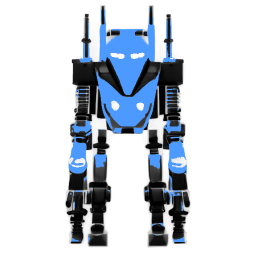


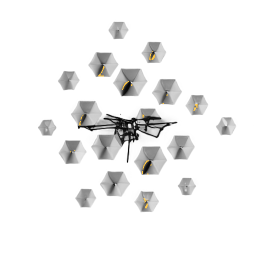

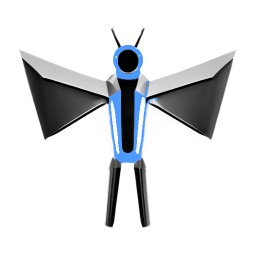





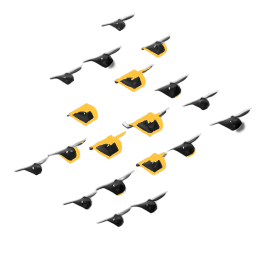

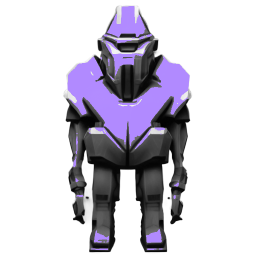


Each enemy fights with four techniques drawn from its four strongest stats, named after the creature (the Rend, the Blight and so on). In the Bestiary, each row shows the floor where you first meet the enemy and the stat to train. Tap a row to open it: its flavour line, its weak spot and resistances as chips (an immunity is listed with the resistances), and a Stat emphasis chart of how its stats are weighted.
How to fight a dungeon floor yourself
Fight it yourself opens the live bout: a turn-based fight where you pick every move and a twenty-sided die decides each swing. Ranked matches and duels use the same screen and the same rules.
In the appArenaDungeonFight it yourselfStatBlockRPG
- Read the top panel
Your row comes first, always: your name, your level, your health (green) and your energy (cyan). The enemy's row sits under it with its health in red.
- Look at the stage
It shows the round, whose move it is, your turn clock, the two fighters (the one waiting is dimmed) and the d20 with the last roll on it.
- Choose
Scroll to Your move and tap a technique, or pick a stance under Or hold a stance.
- Watch the roll
The die spins and lands. The line under it says what it needed and whether it hit, missed, landed a critical hit or fumbled, and the damage rises off the fighter who took it. Skip the animation cuts the animation short.
- The enemy acts
Then the round ends and both of you regain 12 energy.
- Finish
The bout ends when one side reaches zero health. The server replays your choices, records the result and, if you won, pays the floor.
Turn order
There is no initiative roll in a fight you play yourself. In a dungeon you act first in every round and the enemy answers.
The d20 check
Every swing starts with your hit chance against that enemy: 75%, plus 1.5 points for every point of DEX you have over the defender (and minus 1.5 for every point you have under it), plus 0.5 points per point of your WIS, kept between 35% and 95%. The screen turns that into a target number: the hit chance divided by 5 and rounded to a whole number, taken away from 21. You see it as "Needs 6 or better".
| Hit chance | Needs | Faces that hit | Chance on the die |
|---|---|---|---|
| 95% | 2 | 2 to 20 | 19 in 20 |
| 85% | 4 | 4 to 20 | 17 in 20 |
| 75% | 6 | 6 to 20 | 15 in 20 |
| 65% | 8 | 8 to 20 | 13 in 20 |
| 50% | 11 | 11 to 20 | 10 in 20 |
| 35% | 14 | 14 to 20 | 7 in 20 |
- Natural 20: Critical hit. It always lands, cannot be dodged, and does 2 times the damage.
- Natural 1: Fumble. It always misses, and the attacker takes 15% of what the swing would have dealt (at least 1). Stances do not change a fumble.
- An ordinary hit can still be dodged: 3% plus 0.8 points per point of DEX the defender has over you (minus as much per point under), plus 0.3 per point of the defender's WIS, plus any dodge its gear adds, between 0% and 40%. A hit that is not dodged can also crit on its own roll: 5% plus 0.4 per point of CHA and 0.3 per point of WIS, plus any crit your gear adds (at most 60%), for 1.5 times plus 0.01 per point of CHA (at most 2.5 times).
The dice for each turn are set by the bout itself, so picking a different technique never changes the face the d20 lands on. What you choose decides what that face is worth.
How damage is worked out
A landed hit deals the technique's power, times the type modifier against this enemy, reduced by the enemy's armour, times a dice factor, times any critical multiplier. It is rounded, and a hit that lands always does at least 1.
Energy
Both fighters start full. Your pool is 40 + 2 × CON + 1 × WIS: 70 with CON 10 and WIS 10, 94 with CON 22 and WIS 10. Both sides regain 12 at the end of every round, up to the pool, and energy is paid when the swing resolves.
What a technique costs
Each button shows the damage type, the range against this enemy, and the cost: starter techniques are free, techniques earned at proficiency level 10 cost 16 to 18 energy, and those earned at level 30 cost 30 to 34 and then rest for 2 rounds. One used in round 1 that rests 2 rounds is back in round 4.
A button you cannot use this round is greyed out and says why: "Ready next round", "Ready in 2 rounds", or "Needs 18 energy, you have 10".
The two stances
Instead of a technique, you can spend your turn on a stance. It rolls no die, covers the next swing that comes at you, and ends when you next act.
- Guard: The next hit you take does 50% less. You regain 24 energy. The halving applies after a critical, and the energy stops at your pool.
- Brace: 25 points more to dodge the next hit. If it lands, 30% of it comes back at them. Dodge tops out at 80% and a natural 20 still lands. Brace gives no energy.
Guard is how you refill when you are nearly empty; Brace is for when a big hit is coming and you would rather it missed.
A forced guard
You have 15 seconds to choose. In a dungeon the clock runs on your phone and only on your turn; when it reaches zero, your first equipped technique is played for you. If that technique is resting or you cannot afford it, the turn becomes a Guard instead, and the log says so: "Ines Kade could not use Piston Drop (still cooling down) and guarded instead." Keep a free or cheap technique in slot 1.
What the enemy does
- Below 30% of its health it Braces, unless its last move was already a stance, so a badly hurt enemy alternates between bracing and swinging.
- Otherwise it goes through its techniques in turn and uses the first one it can afford that is not resting.
- If it can afford nothing, it Guards.
Its choices follow that order; it does not hunt for your weak spots. Enemy techniques are priced by damage type:
| Enemy technique type | Energy | Rest after use, rounds | Dice |
|---|---|---|---|
| STR Might | 22 | none | 2d8 |
| DEX Swift | 14 | none | 3d4 |
| CON Vital | 18 | none | 2d6 |
| INT Arcane | 30 | 1 | 1d12 |
| WIS Psyche | 26 | 1 | 2d10 |
| CHA Presence | 24 | 1 | 3d6 |
Round limit, and why there are no draws
The first fighter to reach zero health loses. If both still stand after 50 rounds, the one with more of its health left (as a share of its maximum) wins, then the one with more health. An exact tie against a dungeon enemy goes to the enemy, so holding out to the limit never wins a floor.
When the bout ends
Your phone plays each turn as you choose. When the bout ends it sends your list of choices, and the server replays them with the same dice and records its own result: "Recorded by the server, which replayed your choices." If its replay ever reached a different result, its answer is the one kept, and the screen says so.
| Fight | What a win pays |
|---|---|
| Dungeon floor | Scrap (4 + 0.8 × floor), one item at the floor's item level, the next floor, and daily quest progress |
| Ranked or Arena Effigy | Rating only; no scrap and no items |
| Rated live duel | Rating only |
| Unrated duel | The result, posted in your conversation |
Techniques and your loadout
Techniques are your moves. Each deals one damage type, draws its power from the stat behind that type, and is earned by doing a real activity, never bought.
- Your starter. Every account gets one free starter, chosen by your highest stat level (ties go STR, DEX, CON, INT, WIS, CHA in that order). Starters have rank 0.7, cost no energy, never grow and have no skill tree. While it is your only technique, the starter follows your best stat.
- Earned techniques. When a proficiency reaches level 10 or 30, its technique unlocks by itself and drops into an empty slot if you have one. It never replaces a technique you placed. Reaching level 10 in a proficiency takes 5,390 XP in it, and level 30 takes 102,120 in total.
- Rank grows with the proficiency. Every level adds to an earned technique's rank, so the activity that unlocked it keeps making it stronger.
Cycling, Cooking, Homekeeping, Sleep Hygiene, Mobility and Leisure unlock no technique. Which activities feed which proficiency is in the character guide.
| Technique | Type | Unlocks at | Rank | Energy | Rest, rounds | Dice |
|---|---|---|---|---|---|---|
| Stock Strike | STR Might | Starter | 0.7 | free | none | 2d6 |
| Quickdraw Cut | DEX Swift | Starter | 0.7 | free | none | 2d6 |
| Plate Guard | CON Vital | Starter | 0.7 | free | none | 2d6 |
| Boot Script | INT Arcane | Starter | 0.7 | free | none | 2d6 |
| Clean Feed | WIS Psyche | Starter | 0.7 | free | none | 2d6 |
| Open Channel | CHA Presence | Starter | 0.7 | free | none | 2d6 |
| Servo Break | STR Might | Weightlifting 10 | 1 + 0.02 per level | 18 | none | 2d8 |
| Overclock Step | DEX Swift | Calisthenics 10 | 1 + 0.02 per level | 16 | none | 3d4 |
| Backup Cell | CON Vital | Running 10 | 1 + 0.02 per level | 18 | none | 2d6 |
| Zero Day | INT Arcane | Coding 10 | 1 + 0.02 per level | 18 | none | 2d8 |
| Null Point | WIS Psyche | Meditation 10 | 1 + 0.02 per level | 16 | none | 3d4 |
| Broadcast Rally | CHA Presence | Fellowship 10 | 1 + 0.02 per level | 18 | none | 2d6 |
| Piston Drop | STR Might | Weightlifting 30 | 1.35 + 0.025 per level | 34 | 2 | 1d12 |
| Slipstream | DEX Swift | Running 30 | 1.35 + 0.025 per level | 30 | 2 | 4d4 |
| Blast Plate | CON Vital | Swimming 30 | 1.35 + 0.025 per level | 34 | 2 | 2d10 |
| Hard Proof | INT Arcane | Studying 30 | 1.35 + 0.025 per level | 34 | 2 | 1d12 |
| Long Scan | WIS Psyche | Reading 30 | 1.35 + 0.025 per level | 32 | 2 | 2d10 |
| Grand Override | CHA Presence | Craft 30 | 1.35 + 0.025 per level | 34 | 2 | 3d6 |
Choosing what you carry
You carry up to four techniques into a fight. Order matters: slot 1 is what plays when your turn clock runs out, and the one-go resolve uses your techniques in slot order.
In the appHomeCharacterTechniquesStatBlockRPG
- Open your character sheet
Tap your portrait or name at the top of Home, or the status strip on the Arena tab.
- Tap Techniques
Techniques reads "Choose what you carry into the Arena". The screen lists what you are carrying, then everything you have unlocked with its type, rank and cost.
- Pick in order
Tap a technique to add it to the next free slot; tap it again to take it out. To change which one sits in slot 1, take them out and add them back in the order you want.
- Check your coverage
Damage types covered: lists the damage types you carry. If everything deals one type, the screen warns you that anything resistant to it will be a wall.
- Save
Tap Save loadout. It reads Saved once stored.
Skill trees and the daily physical challenge
The 12 earned techniques each carry a small skill tree, 48 nodes in all: a root, two branches above it, and a capstone. A node is never bought. You unlock it by committing to a physical challenge and doing the work.
In the appHomeCharacterSkill treesStatBlockRPG
| Technique | Root | Branch A | Branch B | Capstone | Full tree damage |
|---|---|---|---|---|---|
| Servo Break | 5 percent more damage | 5 less energy | 5 percent more damage | 10 percent more damage | ×1.213 |
| Overclock Step | 5 percent more damage | 4 less energy | 5 percent more damage | 10 percent more damage | ×1.213 |
| Backup Cell | 5 percent more damage | 5 less energy | 5 percent more damage | 10 percent more damage | ×1.213 |
| Zero Day | 5 percent more damage | 5 less energy | 5 percent more damage | 10 percent more damage | ×1.213 |
| Null Point | 5 percent more damage | 4 less energy | 5 percent more damage | 10 percent more damage | ×1.213 |
| Broadcast Rally | 5 percent more damage | 5 less energy | 5 percent more damage | 10 percent more damage | ×1.213 |
| Piston Drop | 5 percent more damage | 8 less energy | 1 round less rest | 10 percent more damage | ×1.155 |
| Slipstream | 5 percent more damage | 6 less energy | 1 round less rest | 10 percent more damage | ×1.155 |
| Blast Plate | 5 percent more damage | 8 less energy | 1 round less rest | 10 percent more damage | ×1.155 |
| Hard Proof | 5 percent more damage | 8 less energy | 1 round less rest | 10 percent more damage | ×1.155 |
| Long Scan | 5 percent more damage | 7 less energy | 1 round less rest | 10 percent more damage | ×1.155 |
| Grand Override | 5 percent more damage | 8 less energy | 1 round less rest | 10 percent more damage | ×1.155 |
Committing to a challenge
- Open the skill trees
On your character sheet, tap Skill trees ("Unlock node effects by doing the work"). Each earned technique on the loadout screen also has a Skill tree door, and Home shows today's Node challenge.
- Tap an open node
Nodes read Locked, Open, Unlocked or Committed today. A node opens once the one below it is unlocked.
- Read the requirement
The sheet says what kind of work it asks for and the range it will be sized in. "Today, and only today: one commitment per game day."
- Commit
Tap Commit to it. The exact target appears, sized from your recent days. Go log it takes you to where that work is logged.
- Do the work
Log it the same game day. When your logged work reaches the target, the node unlocks at once and its effect is in your next fight.
How the target is sized
Every challenge is physical: steps, hard sets, total volume, or a run, ride or swim. Each node has an authored range, and the target is taken from your own recent days on that kind of work (or picked inside the range when there is not enough history), rounded to a sensible step, kept inside the range and within what one log of that activity allows.
| Challenge | Tier 1 (root) | Tier 2 (branches) | Tier 3 (capstone) |
|---|---|---|---|
| Steps | 6,000 to 12,000 | 10,000 to 20,000 | 15,000 to 30,000 |
| Hard sets | 8 to 14 | 12 to 18 | 14 to 22 |
| Total volume, kg | not used | 5,000 to 9,000 | 8,000 to 14,000 |
| Run, km | 3 to 6 | 5 to 10 | 10 to 16 |
| Ride, km | 8 to 15 | 15 to 25 | 25 to 40 |
| Swim, metres | 500 to 1,200 | not used | 2,000 to 4,500 |
Practice bouts and calling a friend into a run
Floor 0: a free practice bout
A practice bout. Nothing is spent and nothing is won. It shows what a dungeon floor resolved in one go looks like, without costing a ticket, paying scrap, dropping an item or touching your rating.
In the appArenaFloor 0StatBlockRPG
- While your Record is still empty it appears on the Arena tab as the card "See a fight first: floor 0"; after that it is the Floor 0 door under Know the field.
- Under Start the bout, tap Fight. The bout resolves on its own and plays back like a recorded fight; the button then reads Fight again.
- Your side uses your own stats but fights at level 1 with Stock Strike alone, whatever you carry; the opponent is a level 1 Furnace Husk, the floor 1 enemy.
- You get three a day. The count is kept on your phone and resets at 04:00, and each bout rolls different dice.
Calling a friend into a dungeon run
A friend can brace you for one fight. Their character is snapshotted as it is right now and adds health, armour and a little critical and dodge chance to yours. They do not take turns and do not appear on the stage.
In the appArenaDungeonCompanyStatBlockRPG
- Open a run
The Company panel appears under the Dungeon card while a run is open.
- Call
Tap Call · 0/1 and pick a friend from the list that opens. They get a notification saying they were summoned.
- Fight
The support applies to the next dungeon fight you record, fought yourself or in one go, and is used up by it, win or lose. The panel's note says it lasts until the run ends, but it is spent by that one fight: after a win, the next floor starts without it unless you call again.
Ranked matches, ELO and the Arena Effigy
Ranked play is a rating ladder. Every account starts at 1,200, a win moves you up and a loss moves you down, and the amount depends on the gap between you and your opponent and on how high you already are.
In the appArenaRankedQueue for a ranked matchStatBlockRPG
- Queue
On the Ranked card, tap Queue for a ranked match. You need at least one ticket.
- Wait for a match
The search starts at ±60 rating and widens by 25 every 5 seconds. Both of you have to be inside each other's range, and your rating is fixed at the moment you join.
- Or meet the Effigy
After 30 seconds with nobody found (by then the search reaches ±210), the queue gives you an Arena Effigy, and the card reads "No one was queueing". It is a mirror of your own character, with your stats, techniques and gear, no resistances, and your rating. It is played turn by turn by the same logic as a dungeon enemy and is worth the full rating change.
- Fight
The bout uses the live bout screen and every rule above. A win or loss moves your rating; ranked play pays no scrap and no items.
| Your rating | Band | K | Win or loss against an equal rating |
|---|---|---|---|
| Below 1,400 | Unranked band | 40 | 20 points |
| 1,400 to 1,699 | Contender band | 32 | 16 points |
| 1,700 to 1,999 | Veteran band | 24 | 12 points |
| 2,000 to 2,299 | Elite band | 16 | 8 points |
| 2,300 and above | Apex band | 12 | 6 points |
Against another person
A matched human bout is live: you both choose on the same screen, one turn at a time, with a 15-second clock kept by the server. When a turn's time runs out, the server plays that player's first technique, or a Guard if it cannot be used. In a live match the same one of the pair always opens each round.
The leaderboard
In the appArenaLeaderboardStatBlockRPG
Switch between Global and Friends; Your standing shows your own rank even when you are not listed publicly. Two players on the same rating share a rank. A public adult account is listed by default; switch it off under Settings › Privacy, data and legal › Show on leaderboards, or by setting your profile to friends only or private.
Duels with friends
A duel is a fight between two friends, issued from a direct message. It costs no ticket and pays no scrap or items; what it can do is settle an argument, and a live one can move both ratings.
In the appSocialMessagesAttachChallenge to a duelStatBlockRPG
- Open a conversation
In Messages on the Social tab, open a thread with a friend, or tap Message beside them in your friends list.
- Attach a duel
Tap Attach, then Challenge to a duel, then choose Live duel, both online now or Async duel, fought against a snapshot.
- Wait for an answer
Your friend taps Accept or Decline; you can Withdraw while it waits. They have 48 hours to answer, and once accepted the duel has another 48 hours to be fought.
- Fight
Tap Fight on the card. The result is posted in the conversation.
| Live duel | Async duel | |
|---|---|---|
| Who fights | Both of you, at the same time, turn by turn | The challenger, against the computer playing your friend |
| Your friend is | Online with the duel open (the bout starts once you are both there) | A snapshot of their character, taken when they accept |
| Rating | Moves both ratings when it is the pair's first rated duel of the UTC day; the challenge says which when you send it | Never moves |
| Cost and reward | No ticket, no scrap, no items | No ticket, no scrap, no items |
Arena questions
How do I get more Arena tickets in StatBlockRPG?
A new account starts with 5. The first time you open the app on a new game day you get 1 more, up to 10; a longer absence still adds only 1. When you have none left, the Dungeon card offers Buy a ticket for 250 scrap.
Why is Enter the dungeon greyed out?
The one-go resolve unlocks after you have finished one dungeon bout yourself, win or lose. Until then the button reads "Locked: fight one dungeon bout yourself first". It is also greyed out when you have no tickets.
What does the number on the d20 mean in a fight?
It is the roll for that swing. The line under the die says what it needed ("Needs 6 or better"): land on that face or higher and the swing hits. A natural 1 always misses and hurts the attacker a little, and a natural 20 always hits for double damage.
Which stat should I train to beat a dungeon floor?
The one the enemy is weak to. Every enemy takes 150% damage from one damage type, and each damage type is powered by one stat, so the Bestiary names it on every row, for example "Train INT". Log the activities that grow that stat, and carry a technique of that type.
Does leaving a fight cost me a ticket?
Not in the dungeon. A bout you fight yourself only spends its ticket when it ends and is recorded. If you leave the fight screen first, nothing is recorded, the run stays on the same floor, and your next attempt rolls new dice. A live match against another person is different: it carries on without you, the server plays your first technique each time your clock runs out, and after 3 in a row you are marked as having walked away.
Can I play ranked matches if I am under 18?
No. Accounts aged 13 to 17 cannot join the ranked queue and never appear on the leaderboard; the card says "Ranked matches open at 18. Until then, the dungeons are yours." Dungeon runs, practice bouts and skill trees are open to every age.
Do duels with friends change my rating?
Only a live duel can move ratings, and only the first rated one between the same two people on a UTC day. Async duels never do. No duel costs a ticket or pays scrap or items.