How daily quests work
Daily quests are three to five small objectives a game day, each paid in scrap, and 13 of the 20 kinds pay an item too. They sit on Home under your stats, and a card still in progress opens the screen where its work is logged.
In the appHomeDaily questsStatBlockRPG
- Roll the day’s quests
Quests do not appear by themselves. When the board is empty, scroll Home to Daily quests and tap Roll today’s quests. You get three to five quests, and the roll happens once per game day, so a second tap changes nothing.
- Tap a card to do the work
A card still in progress opens the place where its counter moves (the app's hint reads "Opens where you log this"): a run quest opens the Run log in the Tracker, a meals quest opens the food diary, a floors quest opens the Arena. The counter on the right updates as your logs are saved.
- Claim the reward
When the counter fills, the card turns green and shows Claim reward. Tap it to collect the scrap, and the item if the quest pays one; items go straight to your inventory. The card then dims and reads Claimed, and the count beside the heading shows how many of the quests on the board you have claimed.
- Claim before 04:00
Every quest belongs to one game day, which runs from 04:00 to 04:00 in your home time zone, so a late-night session still counts as the day before. At 04:00 every quest you have not claimed expires, and it leaves the board the next time you open the app.
Rerolling a quest and adding one
A quest still in progress carries a Reroll chip that costs 1,000 scrap. It swaps the quest for a different objective drawn from the kinds not already on today's board. You cannot choose which, and the old quest is gone; if nothing else is available, the quest stays and nothing is charged. A finished quest has no reroll chip, so a reward waiting to be claimed can never be thrown away.
Under the board, Add a quest buys one more objective for 300 scrap, at the same reward odds as any other quest. It works once today's quests are rolled, lights up only when you can afford it, and allows two a game day, so a day holds 7 quests at most.
A bought or rerolled quest keeps the level gates and the calorie-target rule described below, but not the cooldowns, and it can be Sit in Judgement even while reviewing is off. That quest only moves once you turn reviewing on in the Tribunal.
Every daily quest, its target and its reward
There are 20 kinds of daily quest. The roll draws from all of them, weighted so some come up more often than others, and skips the ones that do not fit you today:
- Level gates. A few wait until your six stat levels add up to a threshold: Tonnage at 10, Proving Ground at 12, Sit in Judgement at 15 and Deeper at 18.
- Cooldowns. Some quests are skipped if you had them in the last one or two days, so the same objective does not come back every morning.
- Your setup. On Plan is only rolled once you have a calorie target, and the daily roll gives Sit in Judgement only to accounts 18 and over that have turned reviewing on in the Tribunal.
How your targets are sized
A target is not fixed. Each kind has a range, and the app sizes today's number from what you have actually done lately, so the board keeps pace with you in both directions.
| Quest | Target range | What moves it | Scrap | Item |
|---|---|---|---|---|
| Under Load | 8 to 24 hard sets | Hard sets from Lifting Session, Calisthenics Session or Kettlebell Work logs, including finished workouts | 40 to 90 | Common or better |
| Show Up | 1 to 2 workouts | Finishing a workout in the logger, or a Lifting Session log in the Tracker | 25 to 55 | Common or better |
| Tonnage from total level 10 | 2,000 to 12,000 kg | Weight times reps of your completed working sets, from the logger or the lifts in a Tracker session | 70 to 150 | Uncommon or better |
| Ground Covered | 2 to 10 km | Run in the Tracker | 40 to 95 | Common or better |
| On Foot | 7,000 to 15,000 steps | The day's highest step count, from a Steps log or your connected health data | 20 to 50 | None |
| Build Material | Once that day | Logging Protein Target Met in the Tracker; it is your own call, the diary does not tick it | 35 to 75 | Common or better |
| On Plan | Once that day | Your food diary's day total landing within 10% of your calorie target | 35 to 75 | Common or better |
| Kept Records | 2 to 4 meals | Separate meals in your food diary | 20 to 45 | None |
| Made It Yourself | 1 to 2 meals | Cooked a Meal in the Tracker | 35 to 80 | Common or better |
| Topped Up | 2,500 to 3,000 ml | Drinks on Home's water card, plus any Water logs in the Tracker | 15 to 40 | None |
| The Other Half | 7 to 8 hours | Sleep logs in the Tracker | 45 to 100 | Common or better |
| Stillness | 10 to 30 min | Meditation in the Tracker | 25 to 60 | None |
| Maintenance | 10 to 25 min | Mobility Work in the Tracker | 25 to 55 | None |
| Pages Turned | 15 to 60 pages | Reading (pages) in the Tracker | 35 to 80 | Common or better |
| Deliberate Practice | 20 to 90 min | Study in the Tracker | 35 to 85 | Common or better |
| Set It Right | 15 to 60 min | Homekeeping in the Tracker | 20 to 50 | None |
| Good Company | 30 to 120 min | Time With People in the Tracker | 25 to 60 | None |
| Proving Ground from total level 12 | 1 to 3 wins | Arena wins (a duel with a friend does not count) | 45 to 110 | Uncommon or better |
| Deeper from total level 18 | 1 to 3 floors | Dungeon floors cleared | 60 to 140 | Rare or better |
| Sit in Judgement from total level 15 | 3 to 10 reviews | Votes you cast in the Tribunal | 40 to 95 | Common or better |
How the streak works
Your streak counts the game days in a row on which you logged something. It lives in Grit's panel at the top of Home, and it quietly improves two things: the XP every log earns and the rarity of every item you roll.
In the appHomeStatBlockRPG
What counts
- Any activity you save in the Tracker, and any workout you finish in the logger, counts for the day it belongs to. The exceptions are Gaming and Watching: leisure is recorded, not rewarded. A Rest Day log counts, so a planned day off keeps the streak.
- Drinks on Home's water card, food diary entries and imported health data do not count on their own.
- A log held for review counts once it is verified, credited to the day it was logged.
What breaks it
The game day runs from 04:00 to 04:00 in your home time zone. When a finished game day holds no log that counts, the streak goes back to zero. The app judges finished days when you next open it, so that is when a break shows.
Logging late does not repair a gap: a log for a day already credited, or for an earlier one, neither extends the streak nor fills a missing day. A day with a claim still under review is not judged until the review ends, so a review never breaks a streak.
| Streak | XP bonus | Loot luck | Legendary chance |
|---|---|---|---|
| 1 day | +0.4% | ×1.005 | 0.81% |
| 7 days | +2.8% | ×1.035 | 0.90% |
| 14 days | +5.6% | ×1.07 | 1.00% |
| 30 days | +12% | ×1.15 | 1.3% |
| 50 days | +20% | ×1.25 | 1.6% |
| 60 days | +20% | ×1.3 | 1.9% |
StatBlockPro keeps the same streak and shows it as a plain line on Home, without Grit or the chest.
The streak chest
Every 7 days of streak earn a chest. The bar under Grit fills a step each day toward the next one, the number of days left sits beside the chest icon, and the line underneath reads, for example, "2 more days until a chest". When a chest is due, the bar turns amber, the chest becomes an Open button, and the line underneath reads "Day 7 chest is waiting".
In the appHomeOpenStatBlockRPG
- Tap Open
Tap Open in Grit's panel as soon as it appears.
- Collect the scrap and the item
The chest pays scrap and an item at once. The app shows the day, then, for example, "The chest held 70 scrap." and what was inside. The item goes to your inventory at your character's item level.
- Keep going
The bar starts filling toward the next milestone, 7 days on.
| Chest | Scrap | Item |
|---|---|---|
| Day 7 | 70 | Common or better |
| Day 14 | 140 | Common or better |
| Day 21 | 210 | Uncommon or better |
| Day 56 | 560 | Rare or better |
| Day 105 | 1,050 | Epic or better |
How loot works: rarity, item level and affixes
Every item in StatBlockRPG is rolled: first its rarity, then a design, which decides its slot, then its affixes inside a power budget. No roll can be bought with real money, and the full odds are published in the app.
Where items come from
- Daily quests: 13 of the 20 kinds pay an item when claimed, each with the rarity floor shown in the quest table.
- The streak chest, every 7 days of streak.
- The forge in the gear shop, at a rarity floor you choose.
- Dungeon floors: every floor you clear in the Arena drops one, at an item level equal to the floor's number (see the Arena guide for the one limit on very deep floors).
- The Awakening: if you trained in StatBlockPro before switching the game on, a one-off cache of one item for every 20 days you trained, up to five.
Ranked matches, duels and the practice bout pay no items.
Rarity and the published odds
Every roll starts from the same weights. A streak shifts them toward the rarer tiers: each weight is multiplied by your luck raised to the tier's rank (Common 0 up to Legendary 4), and the five are scaled back to 100%. The rarer the tier, the more it gains: at the longest streak Legendary goes from 0.80% to 1.9%, and Common gives up the difference.
| Rarity | Base odds | At 60+ days | Affixes | Power budget |
|---|---|---|---|---|
| Common | 55% | 45% | 1 | item level × 1 |
| Uncommon | 28% | 30% | 2 | item level × 1.35 |
| Rare | 12% | 16% | 3 | item level × 1.8 |
| Epic | 4.2% | 7.5% | 4 | item level × 2.35 |
| Legendary | 0.80% | 1.9% | 5 | item level × 3 |
A rarity floor, from a quest, a chest or the forge, is applied after the roll: anything below the floor is lifted to it, and a luckier roll is kept, never reduced to the floor.
In the appSettingsPrivacy, data and legalDrop oddsStatBlockRPG
The Drop odds page in Settings publishes the same table in two columns ("base · best", the second being the longest streak), a section for the forge with a floor you can pick, and the guarantees in writing, among them: "Nothing in the app can be bought with real money, and nothing about these odds can be paid to change."
Item level, slots and affixes
- Item level sets an item's power. Quest, chest and Awakening items come in at your character's item level, the average of your six stat levels rounded; the forge uses your item level when you pay; a dungeon floor uses the floor's number.
- Slots: ten of them (Head, Chest, Gloves, Legs, Boots, Weapon, Shield, Amulet, Ring I and Ring II), with 27 item designs spread across them. Amulets and rings appear from item level 10.
- Affixes: an item's power budget is split evenly across its affixes, and each one rolls between 35% and 100% of its share. A Legendary carries three times the budget of a Common at the same item level, never ten times.
What gear does for you
Stat affixes raise your effective stats, on the character sheet and in every fight. Armour, HP, Crit and Dodge affixes feed the Arena directly. Every equipped item also adds 0.35 of its item level to your Power.
Equipping, durability, repair and scrapping gear
Everything you own waits in the inventory on your character sheet. From there you equip it, keep it in shape and, when it has served its turn, break it down for scrap.
In the appHomeFull sheetInventoryStatBlockRPG
- Open your inventory
Tap your portrait or name at the top of Home, or Full sheet beside your stats, then Inventory. The screen shows how many of your ten slots are filled, and the All and Any slot chips filter by rarity and by slot.
- Open an item
Tap it to see its slot and item level, its Affixes, its Durability, and If you equip this, which compares it with what you wear and marks it Upgrade or Trade-off.
- Equip it
Under Actions, tap the equip button, for example Equip to Chest. Each slot holds one item, and whatever was there goes back to your inventory. Either ring slot takes either ring, and there is no level or rarity requirement.
Durability: gear wears, it never breaks
Every item has 100 durability. An equipped item loses 1 point for each game day the app judges; items in the inventory keep theirs. Down to 25 an item works at full strength. Below that its affixes weaken in a straight line to 50% at zero, and the item sheet shows how far it has slipped. Nothing ever breaks or disappears.
| Durability | Effect of its affixes |
|---|---|
| 100 | 100% |
| 25 | 100% |
| 20 | 90% |
| 10 | 70% |
| 0 | 50% |
Repair
Repair, under the item's Actions or on the gear shop's Repair tab, restores full durability. The price depends on the points missing and the item level, never on the rarity, and a repair you cannot afford is refused rather than put on credit.
| Item | After 30 days worn | From zero |
|---|---|---|
| Item level 1 | 2 | 8 |
| Item level 10 | 24 | 80 |
| Item level 25 | 60 | 200 |
| Item level 50 | 120 | 400 |
Scrapping an item
Scrap it destroys an item for scrap, after a confirmation, and cannot be undone. Lock an item you want to keep: a locked item cannot be scrapped until you Unlock it.
| Rarity | Scrap it yields | At item level 10 | At item level 50 |
|---|---|---|---|
| Common | item level × 0.5 | 5 | 25 |
| Uncommon | item level × 1 | 10 | 50 |
| Rare | item level × 2.2 | 22 | 110 |
| Epic | item level × 5 | 50 | 250 |
| Legendary | item level × 12 | 120 | 600 |
Where scrap comes from and where it goes
Scrap is StatBlockRPG's one currency. You start with none, you earn it only by playing, and nothing in the app sells it for money. Your balance sits under the quest board on Home and on your character sheet, and tapping it on Home opens the gear shop. A purchase you cannot afford is refused, so the balance never goes below zero.
| Where it comes from | Scrap | Notes |
|---|---|---|
| A claimed daily quest | 15 to 150 | Set when the quest is rolled; see the quest table. |
| The streak chest | 10 × the day | 70 at day 7, one chest every 7 days. |
| A dungeon floor won | 4 + 0.8 × the floor, rounded | 5 on floor 1, 12 on floor 10, 44 on floor 50. |
| Scrapping an item | item level × the rarity’s factor | See the table above. |
| The Awakening | 25 a day trained, up to 2,500 | Once, when you switch the game on after training in StatBlockPro. |
| Where it goes | Scrap | Notes |
|---|---|---|
| An Arena ticket (Buy a ticket) | 250 | Offered on the dungeon card when you are out of tickets. |
| An extra daily quest | 300 | Two a game day, once today's quests are rolled. |
| A quest reroll | 1,000 | Only on a quest still in progress. |
| A repair | missing durability × item level × 0.08 | Rarity does not change the price. |
| A cosmetic | 250 to 600 | Paid once, kept for good. |
| The forge | item level × the rarity's budget factor × 12, or the floor price if higher | See the forge below. |
The gear shop and the forge
The Gear shop is where scrap is spent on looks, on a roll at the forge and on repairs. It opens from the scrap balance under Home's quest board, from the Gear shop button on your character sheet, or when you tap a locked look in the avatar creator. Its own subtitle says it plainly: "Looks, a roll at the forge, and repairs. Nothing here sells progress."
In the appHomeGear shopStatBlockRPG
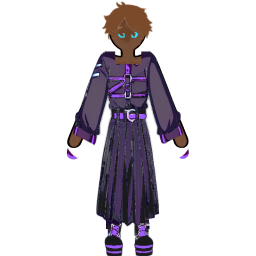
Cosmetics
Each cosmetic is drawn on your avatar and is paid once, kept forever: you buy it once and wear it whenever you like, from the avatar creator (see the character guide). A locked look in the creator shows its price and opens the shop.
| Cosmetic | Kind | Scrap |
|---|---|---|
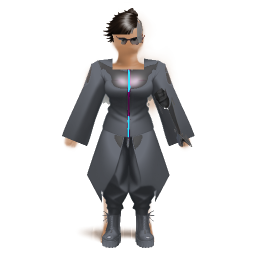
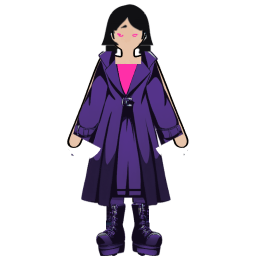
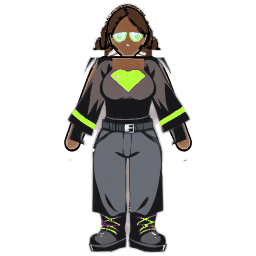
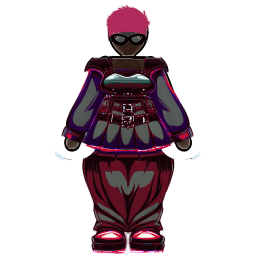
| Nullrun Duster | Outfit | 400 |
| Kestrel Exoframe | Outfit | 600 |
| Signal Crest | Hair | 250 |
| Static Fade | Hair | 250 |
| Reticle HUD | Eyes | 350 |
| Spinal Array | Cyberware | 500 |
| Redline | Accent colour | 300 |
| Frostline | Accent colour | 300 |

Forge
The forge sells a random item with a guaranteed minimum rarity. In the app's words: "Pick a floor. The forge rolls a random item at your current item level, never below that floor, and the odds above it are published. Scrap you commit is never refunded."
- Open the Forge tab
In the gear shop, tap Forge. It shows the item level it will roll at ("Rolled at item level 12", for a character at item level 12).
- Pick a floor
Under Rarity floor, choose a rarity. The price and the "Base odds at this floor" update, and the Published odds chip opens the full table in Settings.
- Commit
Tap Forge an item, check the price and what you will have left, and tap Commit. The scrap is spent at that moment; there is no refund and no reroll.
- Collect
The item is rolled and opens straight away. If the hand-over fails, the forge keeps your purchase as "Paid, ready to collect" with a Collect button, and you are not charged again.
| Floor | Floor price | Formula takes over from item level | At item level 25 | At item level 50 |
|---|---|---|---|---|
| Common | 150 | 13 | 300 | 600 |
| Uncommon | 300 | 19 | 405 | 810 |
| Rare | 600 | 28 | 600 | 1,080 |
| Epic | 1,000 | 36 | 1,000 | 1,410 |
| Legendary | 1,500 | 42 | 1,500 | 1,800 |
| Floor | Common | Uncommon | Rare | Epic | Legendary |
|---|---|---|---|---|---|
| Common or better | 55% | 28% | 12% | 4.2% | 0.80% |
| Uncommon or better | 0% | 83% | 12% | 4.2% | 0.80% |
| Rare or better | 0% | 0% | 95% | 4.2% | 0.80% |
| Epic or better | 0% | 0% | 0% | 99% | 0.80% |
| Legendary or better | 0% | 0% | 0% | 0% | 100% |
Repair
The third tab lists every worn item with its repair price, using the same cost as the item sheet. When nothing needs it, it says so.
Over-Encumbered: when the app asks you to rest
StatBlockRPG watches your training load as well as your effort. Stack too many heavy days without a recovery day and your character becomes Over-Encumbered: XP from every log is halved until you rest. It is the app asking you to recover, not a punishment for training hard.
In the appHomeBoth dashboards
In StatBlockRPG, Grit's panel turns amber and reads "Running hot"; before that, a line under Grit counts your heavy days ("2 heavy days so far. Recovery keeps the count at zero."). StatBlockPro shows the same state on Home as "Recovery is due. Heavy days have run past your tolerance for 2 days."
Strain and heavy days
When it lands
Your tolerance is how many heavy days you can stack without a recovery day. It starts at 7 and grows by one for every 25 levels of CON Constitution, up to 10. Over-Encumbered lands when the run goes past it. A day that is neither heavy nor recovery holds the count where it is; only a recovery day resets it. Days are judged once they are over, the next time you open the app.
| CON level | Tolerance | Over-Encumbered on |
|---|---|---|
| 1 to 24 | 7 heavy days | the 8th heavy day with no recovery day in between |
| 25 to 49 | 8 heavy days | the 9th heavy day with no recovery day in between |
| 50 to 74 | 9 heavy days | the 10th heavy day with no recovery day in between |
| 75 and above | 10 heavy days | the 11th heavy day with no recovery day in between |
What counts as recovery
A recovery day is a day with any Rest Day log, or with enough of one recovery activity. Each activity is measured on its own, so a short nap and a short night are not added together. When you log one of these, the Tracker's log screen says whether it counts and how much you need that day.
| Activity | Counts as recovery when |
|---|---|
| Sleep | 7.5 hours in total that day, or a night that long in your health data |
| Rest Day | Any log that day |
| Meditation | 10 min in total that day |
| Mobility Work | 15 min in total that day |
| Stretching | 15 min in total that day |
| Sauna or Steam | 15 min in total that day |
| Cold Exposure | 3 min in total that day |
| Massage or Soft Tissue | 15 min in total that day |
| Breathwork | 10 min in total that day |
| Nap | 20 min in total that day |
The penalty, and how it clears
When a log is held for review
Very large days are checked by other players before they pay out. The log is held, not lost: its reward waits until the review ends, and a claim nobody disputes is released in full.
In the appSocialTribunalYoursBoth dashboards
When a log is held
Each activity has a proof threshold, measured on the day's base XP for that one activity before any bonus, so gear and streaks never change whether a log is held. Several smaller logs of the same activity add up exactly like one big one. When a save takes the day over the line, that log is held, and so is every later log of the same activity that day.
| Activity | Threshold (base XP) | Held once one day reaches about |
|---|---|---|
| Lifting Session | 150 | 36 hard sets |
| Calisthenics Session | 250 | 46 hard sets |
| Run | 500 | 41.7 km |
| Ride | 150 | 39.5 km |
| Swim | 150 | 2,143 m |
| Steps | 250 | 35,715 steps |
| Reading (pages) | 150 | 112 pages |
What is held, and what is not
A held log keeps its stat XP, level-ups, proficiency XP, its 24-hour buff, its streak credit and its quest progress in escrow. It still counts toward your training load. After saving, the app says "This one needs a second opinion" with Add a photo and Not now, and the Tracker shows "2 entries are waiting on review" until it resolves.
Adding a photo
Without a photo the claim is reviewed as a line the server writes: the activity, the amount, the time and the date, with no name and nothing you typed. A photo gives reviewers something to check.
- Open your claim
Tap Add a photo when the app asks, or later go to Social, then Tribunal, then Yours, and tap Add a photo on the entry.
- Take or pick a photo
A watch screen, a machine display, a finished plate. Location data is stripped before it leaves your phone. You can add a short caption.
- Choose who sees it afterwards
Under "Share it once verified", pick Keep private, Friends or Public. A post is made only if the claim is verified; a rejected claim is never posted.
- Send it
Tap Send to the Tribunal. The deadline stays the one set when the claim opened.
How a review is decided
| Your trust | Deadline |
|---|---|
| 0 | 72 hours |
| 0.5 (where everyone starts) | 48 hours |
| 1 | 24 hours |
When it resolves
A verified claim pays the XP it was worth when you logged it, restores its buff with its original end time (so it may already have run out), and credits the streak day if the days around it still line up. A rejected claim pays nothing. Accounts under 18 are not reviewed: their held logs are released automatically after 48 hours.
Questions about quests, loot and recovery
Short answers to the questions people ask most. For fights and floors, see the Arena guide; for your avatar and skill trees, the character guide.
Why do I have no daily quests today?
Quests are not handed out by themselves. On Home, scroll to Daily quests and tap Roll today’s quests. You get three to five for the game day, which starts at 04:00 in your home time zone.
What happens if I finish a quest but do not claim it?
It expires at 04:00 with every other quest you have not claimed, and pays nothing. A finished quest shows Claim reward; tap it before the game day ends to collect the scrap and any item.
What breaks my streak?
A finished game day with no log that counts. Every Tracker activity and finished workout counts except Gaming and Watching; drinks on the water card, food diary entries and imported health data do not count on their own. A day with a claim still under review is not judged until the review ends.
Do items break in StatBlockRPG?
No. Equipped items lose 1 durability a day out of 100, but they never break. From 25 down, an item's effect slides to 50% at 0, and a repair brings it back to full.
How do I get a Legendary item?
Any roll can land one: 0.80% at base, 1.9% with a streak of 60 days or more. The forge in the gear shop sells a Legendary floor for at least 1,500 scrap. Nothing can be bought with real money.
Why is my XP halved?
You are Over-Encumbered: your run of heavy training days has gone past your tolerance with no recovery day. Log a recovery day, such as a Rest Day or a full night's sleep, and it clears; after a bout of more than 3 days it takes two in a row.
Why is my log waiting on review?
That day's total for the activity passed its proof threshold, so its XP is held until other players review it. Five votes decide it, a tie goes to you, and if the deadline passes with no votes it is verified.